Compute profit
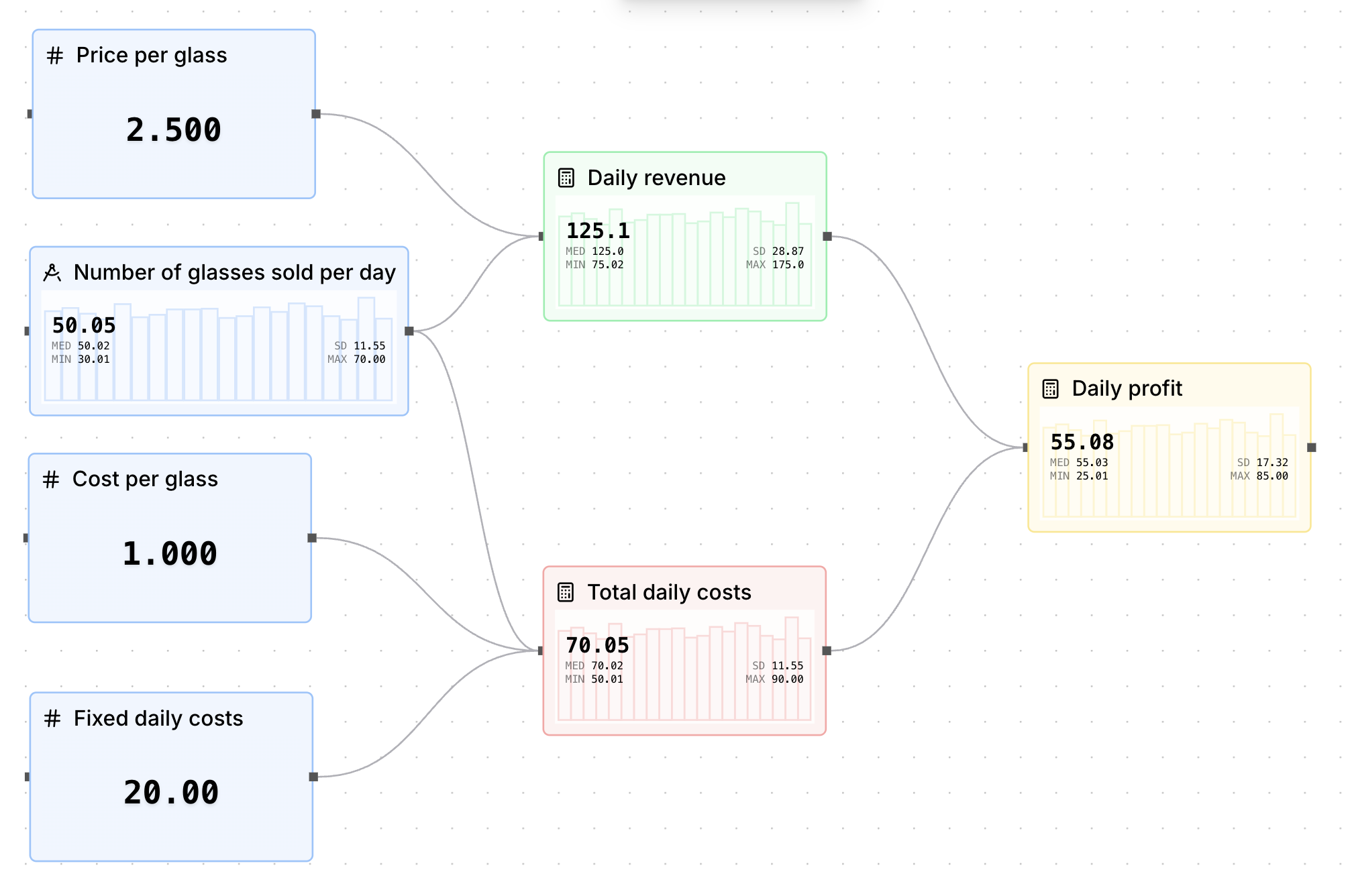
To calculate our profits, we can simply use the following formula: Profit = Revenue - Total Cost.
Add the following value node to our simulation:
Daily profit:
- Label →
Daily profit - Tag →
daily_profit - Value Input →
=#daily_revenue - #total_daily_costs
Organize and customize the simulation
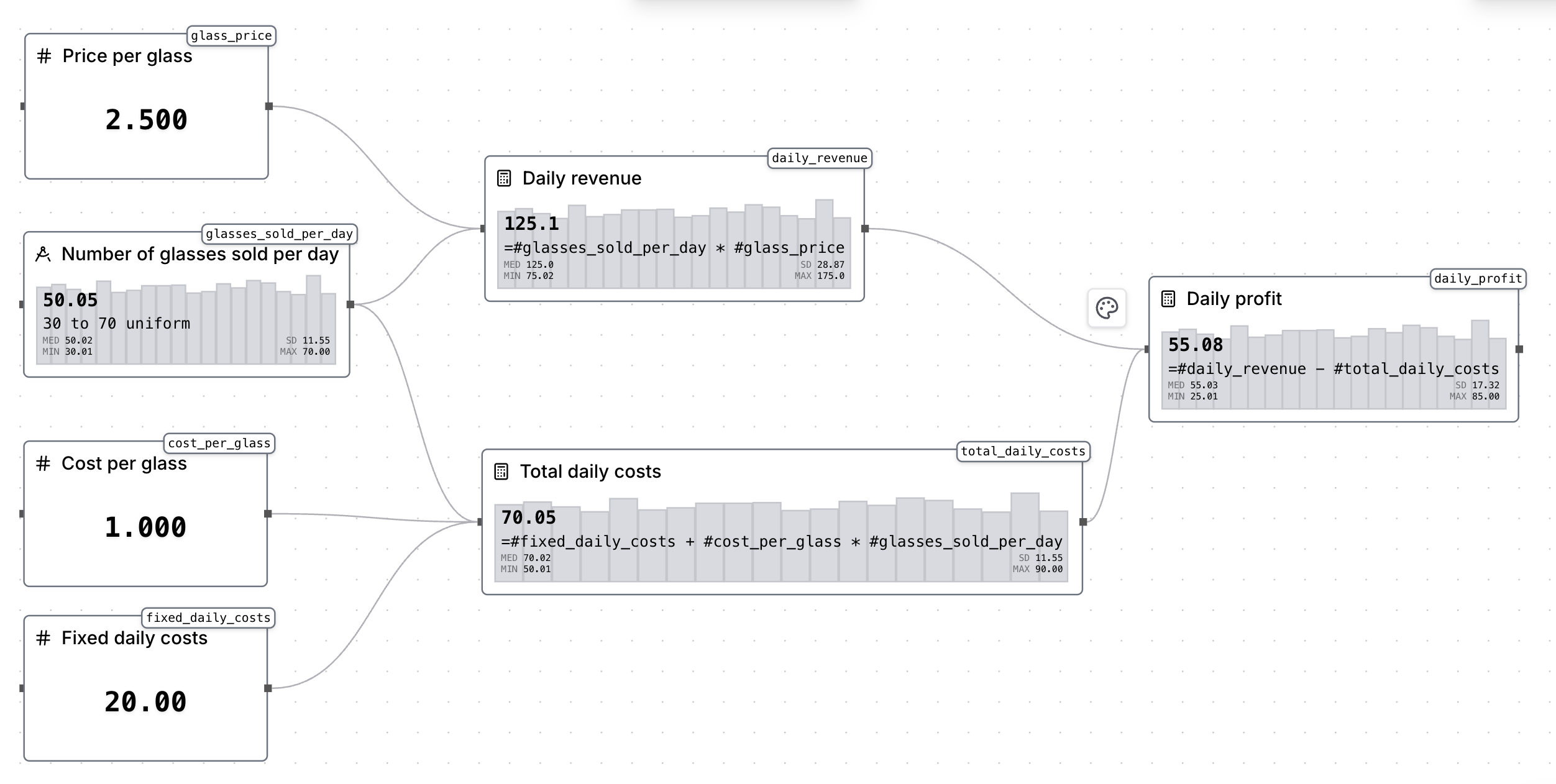
Now that we have completed our simulation, we can move our value nodes in workbench to space them properly, as well as editing the nodes' appearances by selecting them and clicking on the paintbrush icon.
You can for example, use the same colors for the inputs, a different color for the formulas as well as for the profit node. You can also use the view options (eye icon in the bottom left of the workbench) to hide tags and inputs.
Here's a final look at our simulation: